The best widgets for iPhone come from a small group of apps, and almost all of them are free to try. Apple's own widgets cover the basics (weather, calendar, battery, photos), but third-party apps let you design widgets from scratch, share photos straight to a friend's Home Screen, or pack a whole dashboard into one tile.
iOS 27 (released September 14, 2026) adds the biggest widget change in years: an extra-large widget size that fills an entire Home Screen page. This list covers the apps worth installing right now, what each one costs, and which ones already make good use of the new size. Prices are US App Store listings checked on October 13, 2026, and they vary by region.
All picks at a glance
| App | Best for | Price (US) |
|---|---|---|
| Widgetsmith | Simple custom widgets | Free, Premium from $1.99 |
| Widgy | Advanced dashboards | Free, slot packs $7.99 each |
| Color Widgets | Aesthetic themes | Free, Pro from $4.99 |
| Photo Widget | Your own photo albums | Free, Pro $6.99 a month or $24.99 a year |
| Locket | Photos from close friends | Free, Locket Gold is optional |
| Widgetable | Shared widgets for friends and couples | Free, Premium $19.99 a year |
| Launcher | One-tap shortcuts | Free, Premium $14.99 once |
| ScreenKit | Icons plus widgets | Free, unlocks from $9.99 |
| CARROT Weather | Weather widgets | Free app, Premium $19.99 a year |
| Fantastical | Calendar widgets | Free, Premium $56.99 a year |
| Spark Mail | Email at a glance | Free, Premium $59.99 a year |
| DataMan | Mobile data usage | $0.99 |
Where you can place widgets on iPhone
iPhone widgets now live in five places. The steps below work on iOS 17 and later; the extra-large size needs iOS 27.
- Home Screen: touch and hold an empty area, tap Edit, then Add Widget. Sizes are small (2x2 icons), medium (4x2), large (4x4) and, on iOS 27, extra large (a full page).
- Today View: swipe right from the first Home Screen page. The same sizes are available here, including extra large.
- Lock Screen: touch and hold the Lock Screen, tap Customize, then Lock Screen. Small accessory widgets sit in the row under the clock.
- StandBy: turn the iPhone on its side while it charges and leave it locked. Swipe between widget stacks, clocks and photos.
- Interactive widgets: since iOS 17, many widgets let you tick off a task, pause music or run a shortcut without opening the app.
The best widget apps for iPhone
1. Widgetsmith
- iPhone and iPad
Custom widgets · BEST OVERALL
Widgetsmith is the app most people mean when they search for iPhone widgets, and it still has the most ratings of any widget app on the App Store.
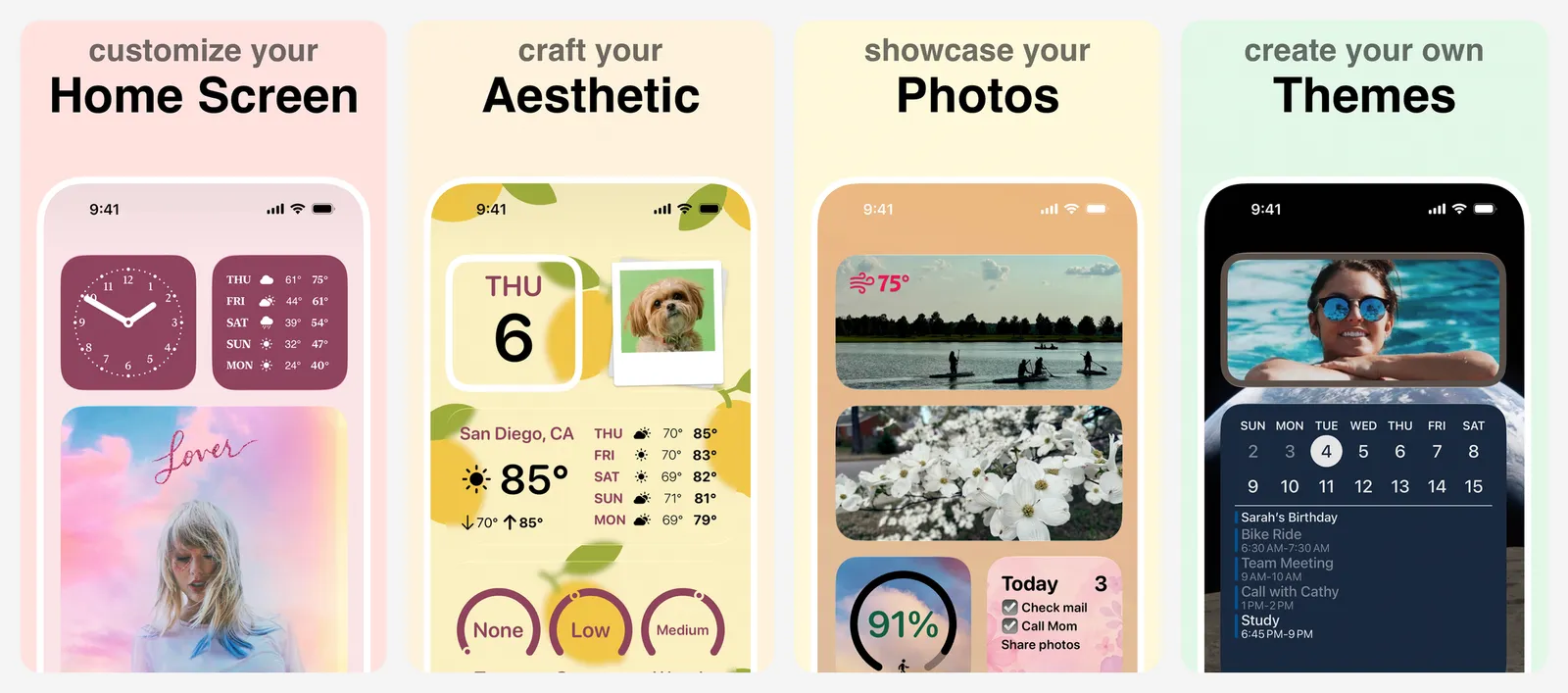
You build each widget from a template: pick a size, choose what it shows (date, time, weather, calendar, reminders, steps, tides, photos or custom text), then set the font, colours and border. The standout feature is scheduling. You can show one widget in the morning and a different one in the evening in the same slot, so a single Home Screen changes through the day. Lock Screen widgets use the same editor.
Widgetsmith is free, and most styles work without paying. Premium unlocks weather, tides and extra themes; the App Store lists Premium plans from $1.99 to $29.99 depending on the term.
- Replaces
- Apple's fixed-style widgets
- Runs on
- iOS 15 or later
- Skip if
- You only need the stock weather and calendar widgets
- Price
- Free, Premium from $1.99
2. Widgy
- iPhone and iPad
Dashboards · POWER USERS
Widgy is for people who want full control and do not mind a learning curve.
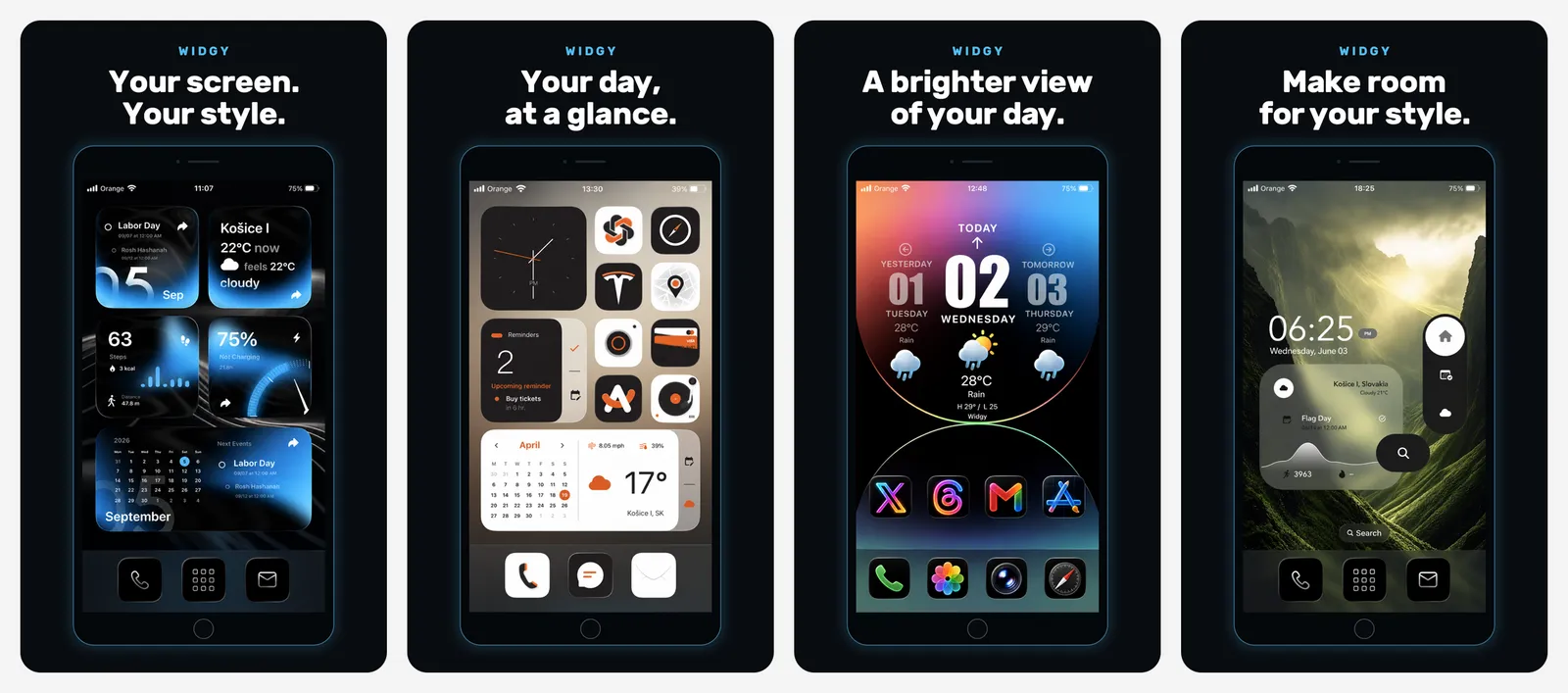
Instead of templates, Widgy gives you a layer editor: stack text, photos, SF Symbols, shapes, charts and gauges, then wire them to data such as battery, weather, calendar, reminders and Apple Health. If you do not want to start from zero, import one of the thousands of designs shared by the Widgy community and tweak it. Widgy also makes Lock Screen widgets, Apple Watch complications (through its Watchy feature) and Live Activity layouts.
The app is free to try. Extra widget slots are paid: Home Screen slots, Lock Screen slots and Watch slots are $7.99 each, and the XL slots pack (with iPad transparency) is $0.99.
- Replaces
- Several single-purpose widget apps
- Runs on
- iOS 17 or later
- Skip if
- You want something done in two taps
- Price
- Free, slot packs $7.99 each
3. Color Widgets
- iPhone and iPad
Themes · AESTHETIC THEMES
Color Widgets is built for people who want a Home Screen that looks designed rather than assembled.
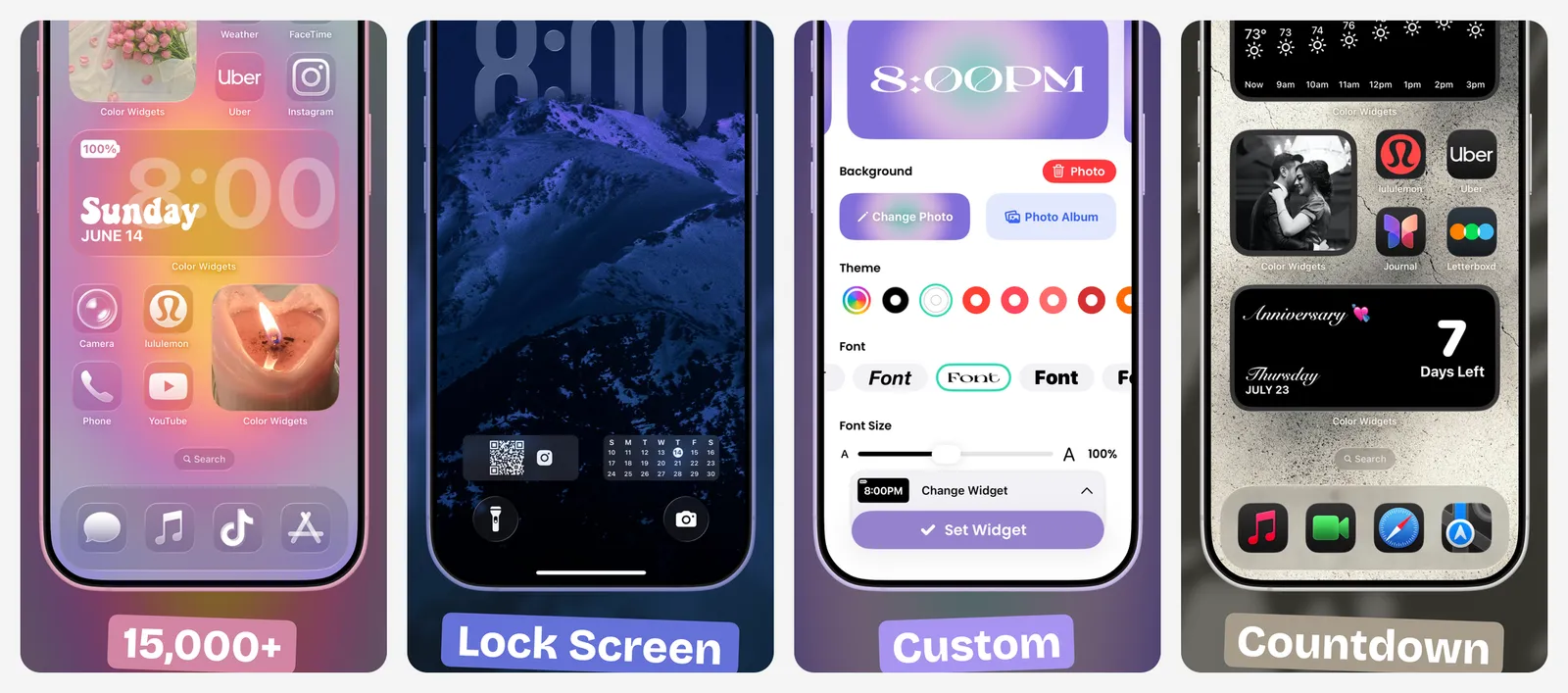
It has thousands of ready-made widgets (clock, date, battery, countdown, weather, calendar, music, step count, moon phase) plus a customiser for colours, fonts and photo backgrounds. The bigger draw is its theme library: more than 15,000 community themes that bundle widgets, icon packs and a wallpaper, so you can restyle the Home Screen and Lock Screen in a few taps.
The app is free to download. Color Widgets Pro unlocks the full library, with plans listed from $4.99 to $49.99.
- Replaces
- Mismatched stock widgets
- Runs on
- iOS 15 or later
- Skip if
- You dislike subscriptions
- Price
- Free, Pro from $4.99
4. Photo Widget: Theme Wallpapers
- iPhone and iPad
Photos · YOUR PHOTOS
Apple's Photos widget picks images for you. Photo Widget lets you choose.
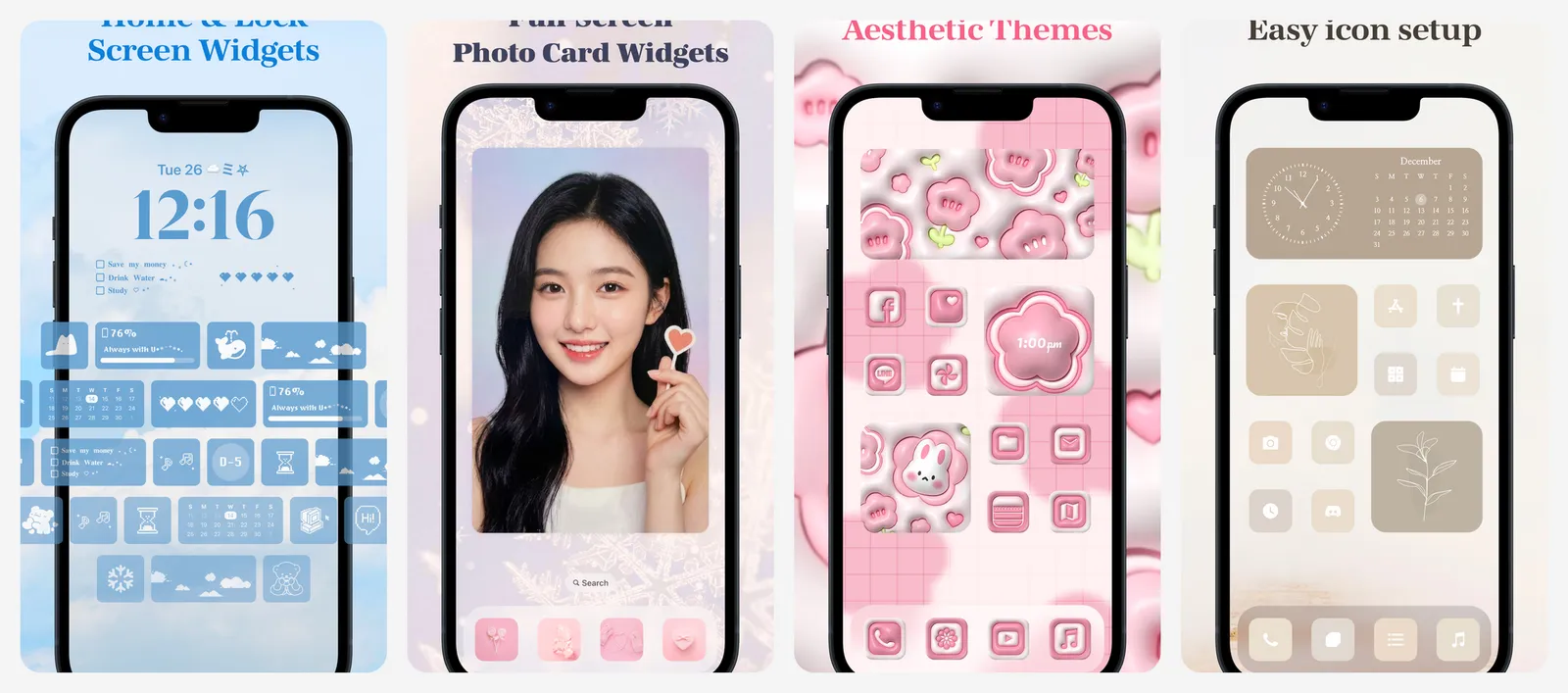
Pick an album or a hand-picked set of photos, set how often it rotates, and add it to the Home Screen or Lock Screen. You can add frames, shapes and stickers, and the app also sells widget themes that pair photos with clocks and calendars.
Photo Widget is free with ads. PhotoWidget Pro is listed at $6.99 a month or $24.99 a year, and individual themes and items cost $0.99 to $2.39.
- Replaces
- Apple's Featured Photos widget
- Runs on
- iOS 16 or later
- Skip if
- You are happy with Apple's random photo picks
- Price
- Free, Pro $6.99 a month or $24.99 a year
5. Locket Widget
- iPhone and iPad
Shared photos · CLOSE FRIENDS
Locket turns a widget into a shared photo frame for your closest people.
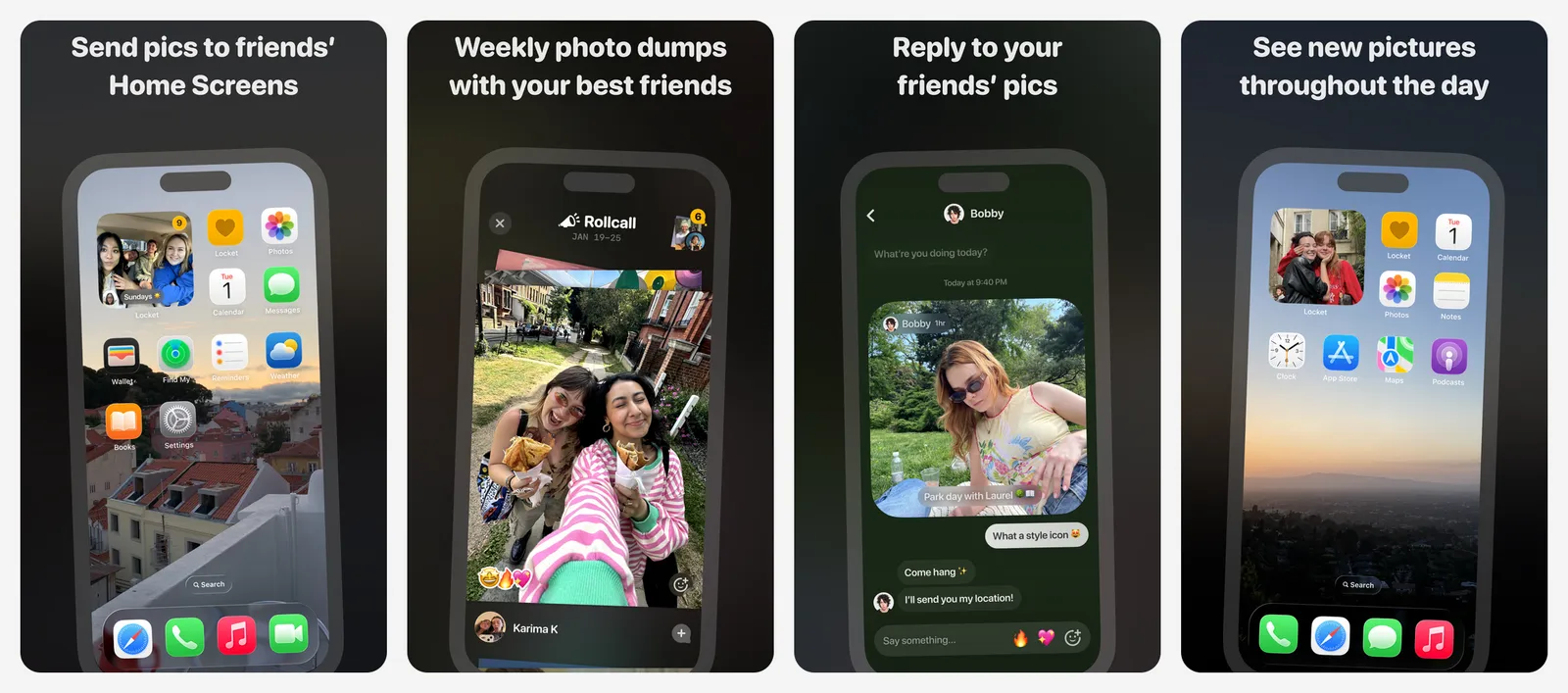
When a friend snaps a photo in Locket, it appears straight on your Home Screen widget, and yours appears on theirs. You can react with emoji, scroll back through past photos, and get a monthly recap video. The friend list is capped at 20 people on purpose, so it stays personal rather than turning into another feed.
Locket is free. Locket Gold adds extras such as more customisation, with plans listed from $1.99 to $36.
- Replaces
- Sending the same photo in five group chats
- Runs on
- iOS 15 or later
- Skip if
- Your friends will not install it too
- Price
- Free, Locket Gold optional
6. Widgetable
- iPhone and iPad
Social widgets · FRIENDS AND COUPLES
Widgetable goes further than Locket with a whole set of widgets meant to be shared with a partner or best friend.
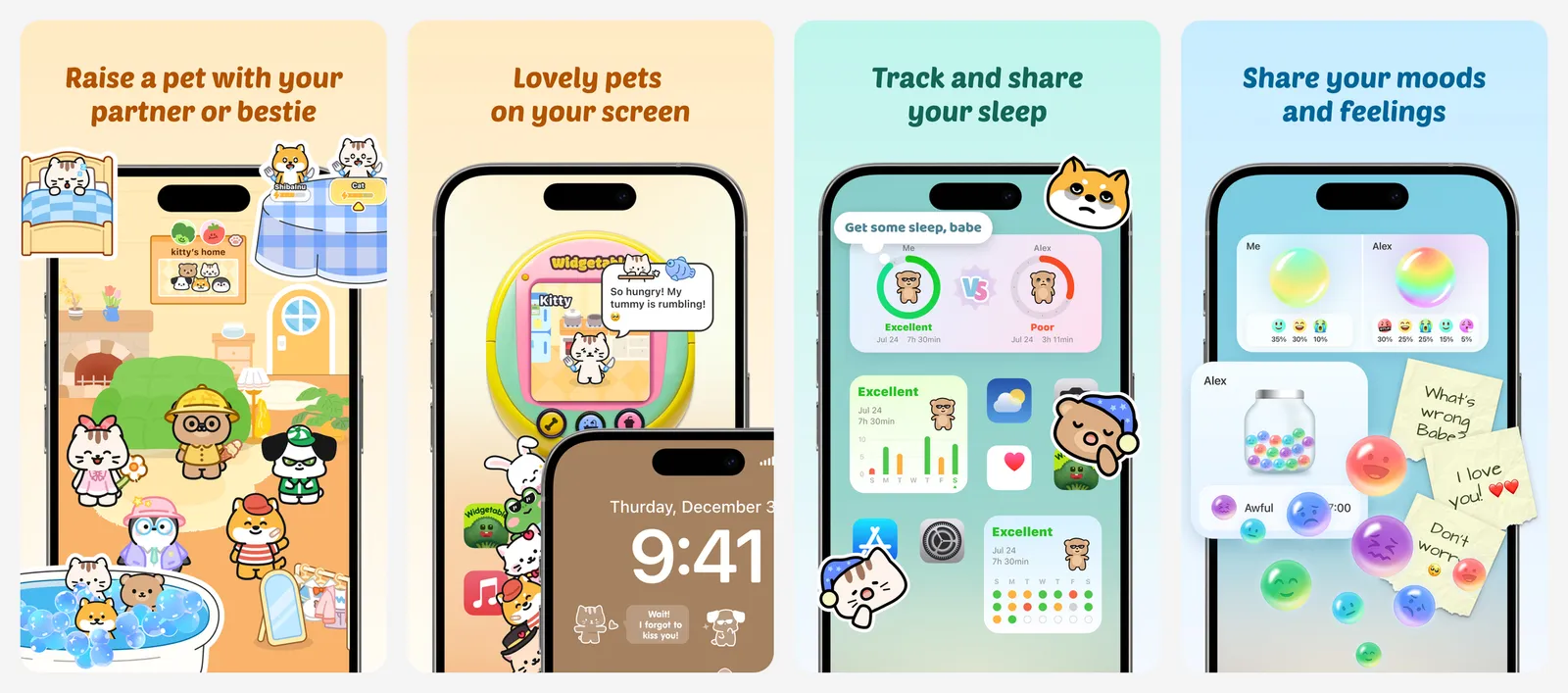
There is a distance widget that shows how far apart you are, a mood widget, a "miss you" counter, doodles and notes you can pin to each other's screens, and a virtual pet you raise together. It is playful and busy, which is exactly the point for its audience.
Widgetable is free. Premium is listed at $4.99 a month or $19.99 a year, and the app also sells diamonds and pet items, so set a spending limit if a younger family member uses it.
- Replaces
- Long-distance check-in texts
- Runs on
- iOS 16 or later
- Skip if
- You want a calm, minimal Home Screen
- Price
- Free, Premium $4.99 a month or $19.99 a year
7. Launcher with Multiple Widgets
- iPhone and iPad
Shortcuts · QUICK ACTIONS
Launcher puts your most frequent actions on the Home Screen as one-tap buttons.
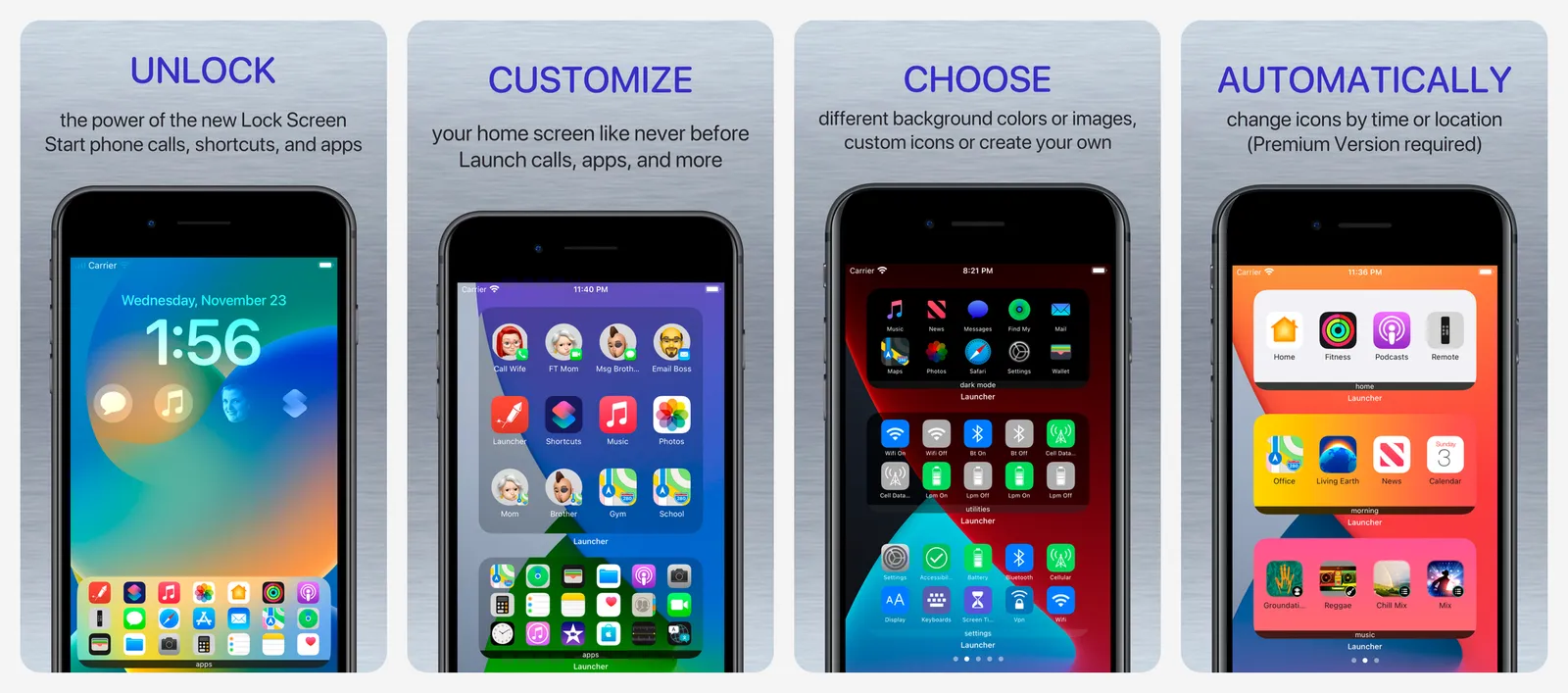
Each button can call or message a contact, start a FaceTime call, open a website, jump into a specific screen of an app, or run a shortcut. You can fit many launchers in one widget and group them by theme (family, work, smart home). Launcher already supports the iOS 27 extra-large size, which gives you a full page of shortcuts.
Launcher is free with limits. A one-time $14.99 Premium purchase unlocks unlimited widgets and launchers, which is better value than a subscription if you keep it for years.
- Replaces
- Digging through apps for daily actions
- Runs on
- iOS 17 or later
- Skip if
- You already live in the Shortcuts app
- Price
- Free, Premium $14.99 once
8. ScreenKit
- iPhone and iPad
Icons and widgets · FULL MAKEOVER
ScreenKit bundles widgets with app icon themes so the whole Home Screen matches.
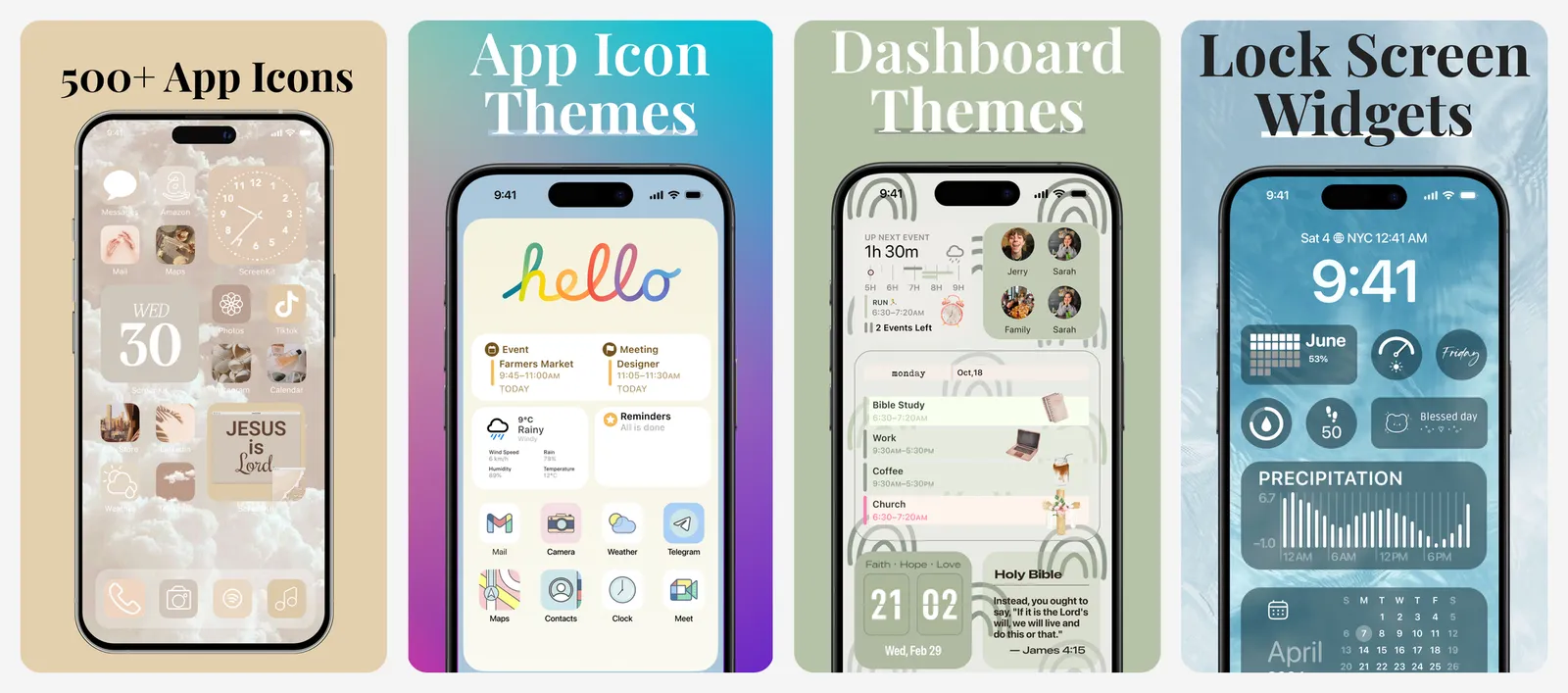
It ships thousands of icon designs and hundreds of widget styles (clocks, counters, battery, calendar, photos), plus themed packs where icons, widgets and wallpaper are designed together. Custom icons are applied through the Shortcuts app, which ScreenKit walks you through.
The app is free to install, but most packs are locked. The App Store lists a $9.99 one-time unlock for all icons and widgets and $14.99 to unlock everything, alongside ScreenKit+ subscriptions from $4.99. The one-time unlock is the better deal for most people.
- Replaces
- Separate icon and widget apps
- Runs on
- iOS 17 or later
- Skip if
- You only want widgets, not icons
- Price
- Free, unlocks from $9.99
9. CARROT Weather
- iPhone and iPad
Weather · WEATHER
CARROT Weather has the most configurable weather widgets on iPhone, with a sarcastic robot personality on top.
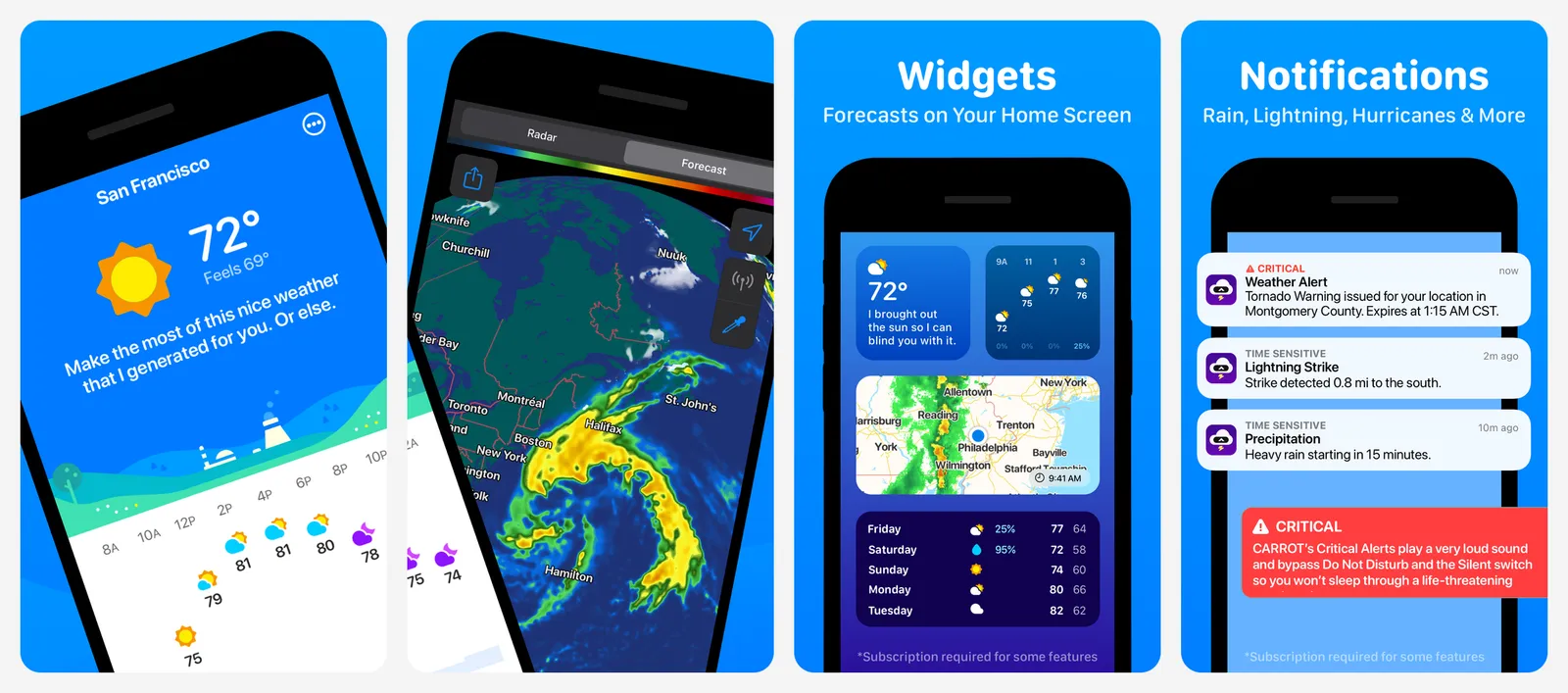
You choose exactly which data points each widget shows (feels-like temperature, wind, UV index, air quality, rain chance, hourly or daily charts), and it covers Home Screen, Lock Screen and StandBy, plus Live Activities and Apple Watch complications. Premium also lets you switch the data source between Apple Weather, AccuWeather, The Weather Channel and others.
One catch: the app is free, but its Lock Screen and Home Screen widgets are part of Premium. CARROT Premium is listed at $4.99 a month or $19.99 a year, with cheaper Mini and pricier Ultra tiers around it.
- Replaces
- Apple's Weather widget
- Runs on
- iOS 15 or later
- Skip if
- You will not pay for widgets
- Price
- Free app, Premium $4.99 a month or $19.99 a year
10. Fantastical
- iPhone and iPad
Calendar · CALENDAR
Fantastical is the calendar app to pick if your day is packed and you want it readable from the Home Screen.
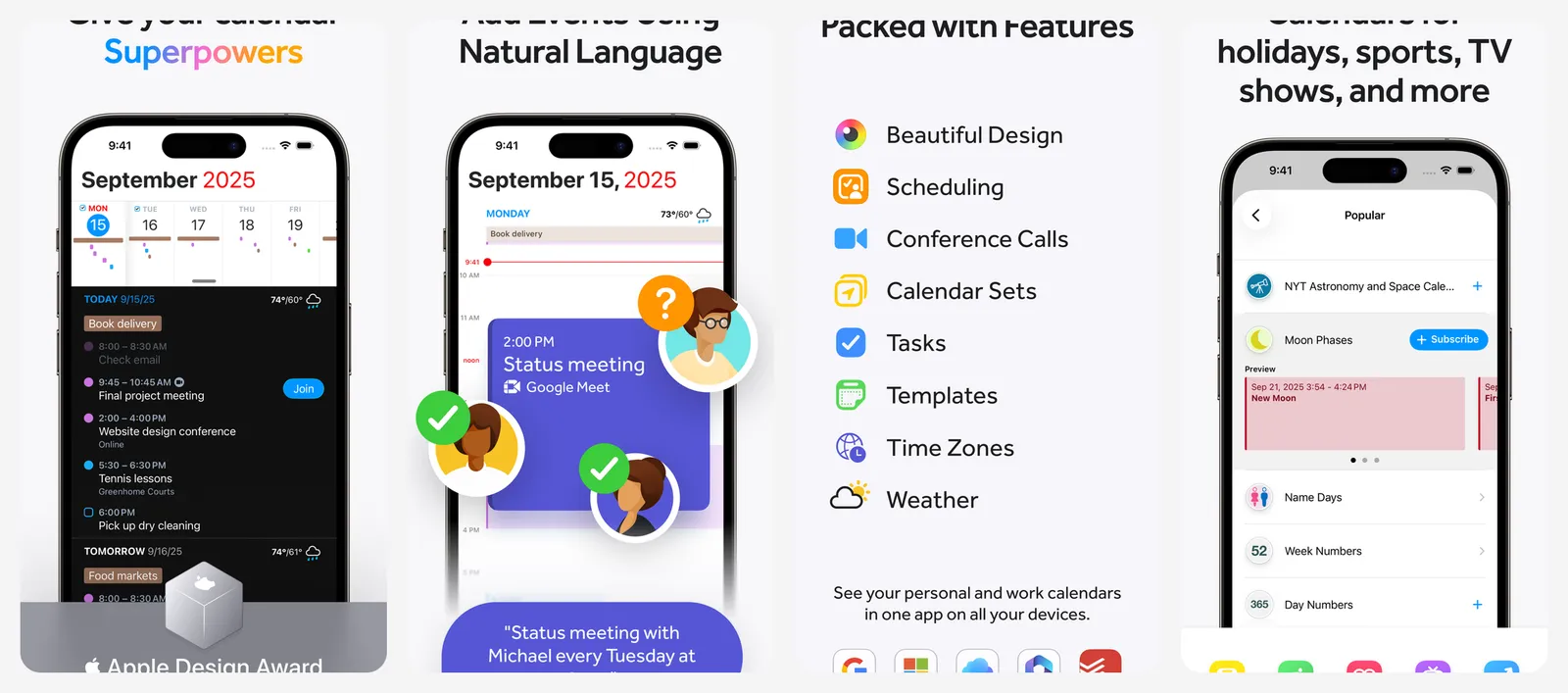
Its widgets combine upcoming events, tasks (including Todoist and Google Tasks) and a weather forecast in one view, and there are interactive widgets for checking off tasks. Typing an event in plain English ("Lunch with Sam Friday 1pm") is still the fastest way to add one on iPhone.
The free version handles basic events. Flexibits Premium ($6.99 a month or $56.99 a year) adds meeting polls, scheduling links, calendar sets and the extended forecast across Mac, iPhone, iPad and Apple Watch. If you only need a clean agenda, try Apple Calendar's widgets on iOS 27 first.
- Replaces
- Apple's Calendar widget
- Runs on
- iOS 17.6 or later
- Skip if
- Apple Calendar's new extra-large widget is enough
- Price
- Free, Premium $6.99 a month or $56.99 a year
11. Spark Mail
- iPhone and iPad
Email · EMAIL
Spark from Readdle is a full email client with some of the most useful mail widgets on iOS.
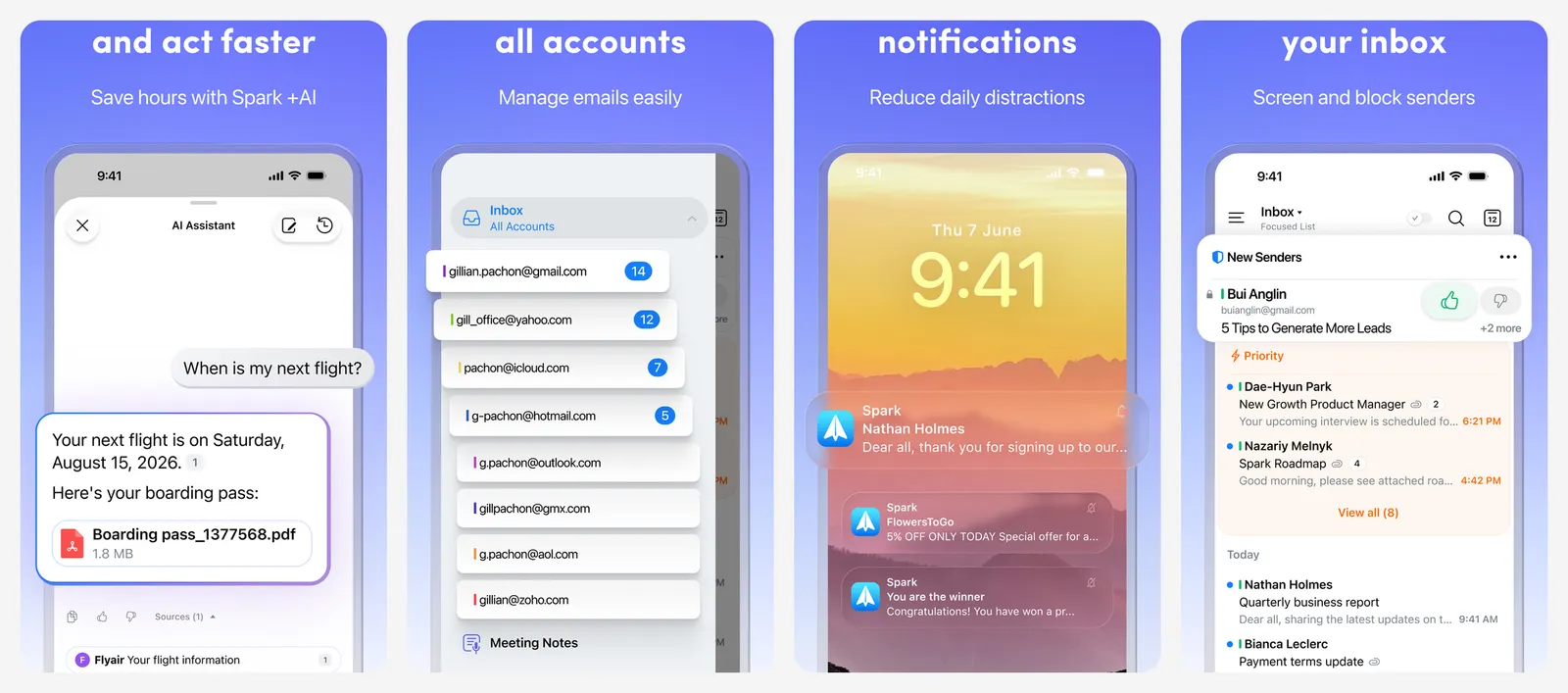
Its widgets show your smart inbox, the newest messages or pinned emails, and they work across Gmail, Outlook, iCloud and other accounts in one place. That makes it a good fit if you juggle work and personal inboxes.
Spark is free to download. Spark Premium is listed at $7.99 a month or $59.99 a year and adds the AI and team features; the separate Plus and Pro plans are aimed at businesses.
- Replaces
- Opening Mail to check what is new
- Runs on
- iOS 16.4 or later
- Skip if
- Apple Mail's widget covers your one inbox
- Price
- Free, Premium $7.99 a month or $59.99 a year
12. DataMan
- iPhone and iPad
Mobile data · DATA TRACKING
DataMan shows how much mobile data you have used in a Home Screen widget, measured against your plan and billing date.
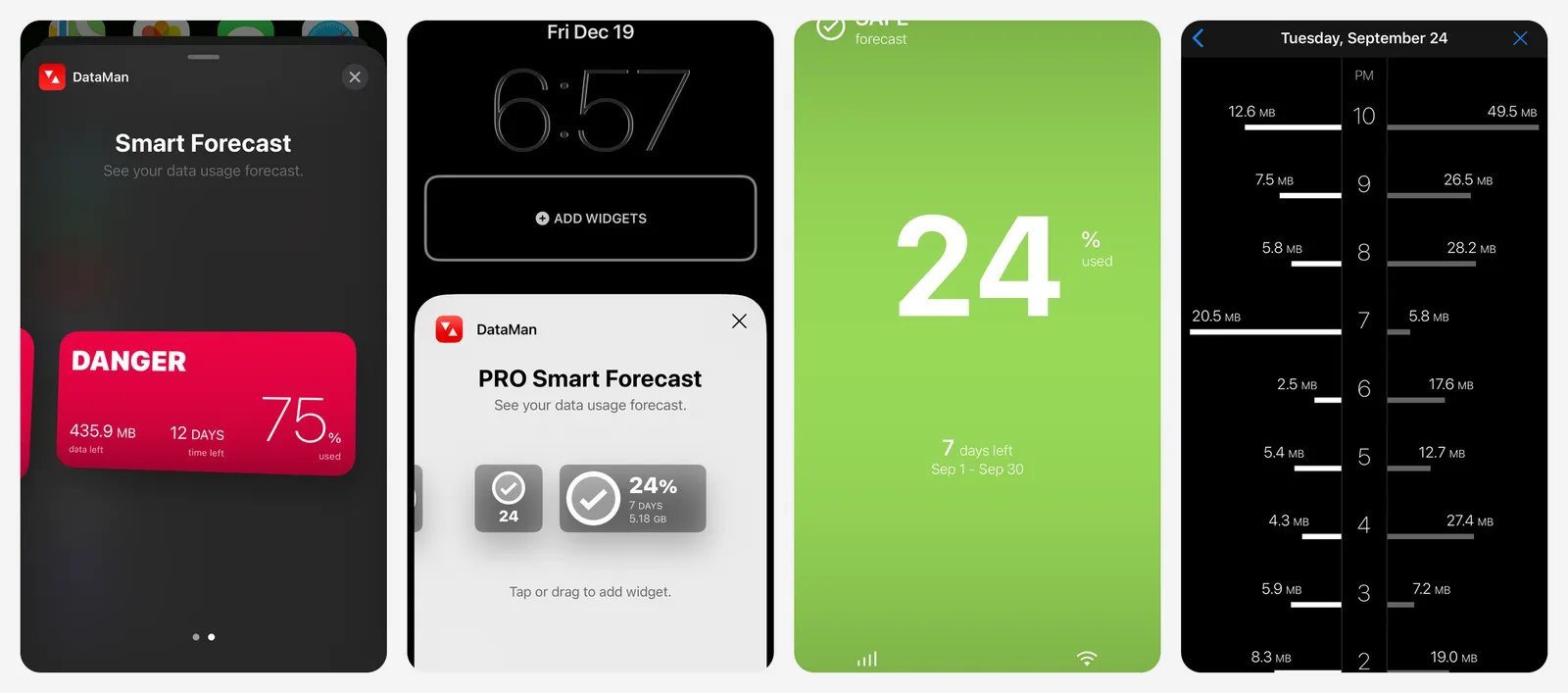
Set your monthly allowance and the day your cycle resets, and the widget shows usage at a glance, with a warning before you go over. It also tracks Wi-Fi usage. iOS only shows raw totals in Settings, so this is the easiest way to keep a capped plan in check.
DataMan costs $0.99 to download, with an optional PRO subscription listed at $0.99 or $9.99 a year.
- Replaces
- Checking Settings for data usage
- Runs on
- iOS 16.6 or later
- Skip if
- You have an unlimited plan
- Price
- $0.99, PRO $9.99 a year
How to choose a widget app
- You want a nicer Home Screen fast: start with Color Widgets or ScreenKit and apply a full theme.
- You want exact control: Widgetsmith for simple scheduled widgets, Widgy if you want charts, layers and live data.
- You want people, not data: Locket for photos, Widgetable for playful shared widgets.
- You want useful information: CARROT Weather, Fantastical, Spark and DataMan each do one job very well.
Before paying, check whether Apple's built-in widgets already cover you. On iOS 27, the stock Weather, Calendar, Reminders and Photos widgets all come in the new extra-large size, which third-party apps are still catching up on. For a full makeover with icons and wallpapers, see our guide to customizing the iPhone Home Screen, and pick a wallpaper that fits your model from our phone wallpaper sizes guide or the iPhone 18 Pro wallpapers. If you live in Notion, our list of Notion widgets and apps covers widgets for your workspace.
FAQs
How do I add widgets to my iPhone home screen?
What is the extra-large widget in iOS 27?
Can I put widgets on my iPhone Lock Screen?
Are widget apps free, or do they need a subscription?
What are interactive widgets on iPhone?

I write as a writer, as someone very familiar with the Internet, as someone who is completely at ease with current technology and the way it is transforming the social fabric of the globe, the business world in particular.