The iPad is the best hardware you can pair with a note-taking app: the Apple Pencil makes handwriting feel natural, the large screen fits a full document page, and iPadOS split-screen lets you write notes beside a PDF or lecture video. The question is which app to use. These picks work on iPadOS 27, Apple's current release (September 14, 2026).
This list focuses on the features that matter for iPad note-taking specifically: Apple Pencil support, handwriting recognition, PDF import and annotation, and how each app handles syncing. Each entry notes whether it is free, subscription, or a one-time purchase, since several popular apps changed their pricing models between 2021 and 2026. Prices come from US App Store listings checked in October 2026 and vary by region.
Apple Notes
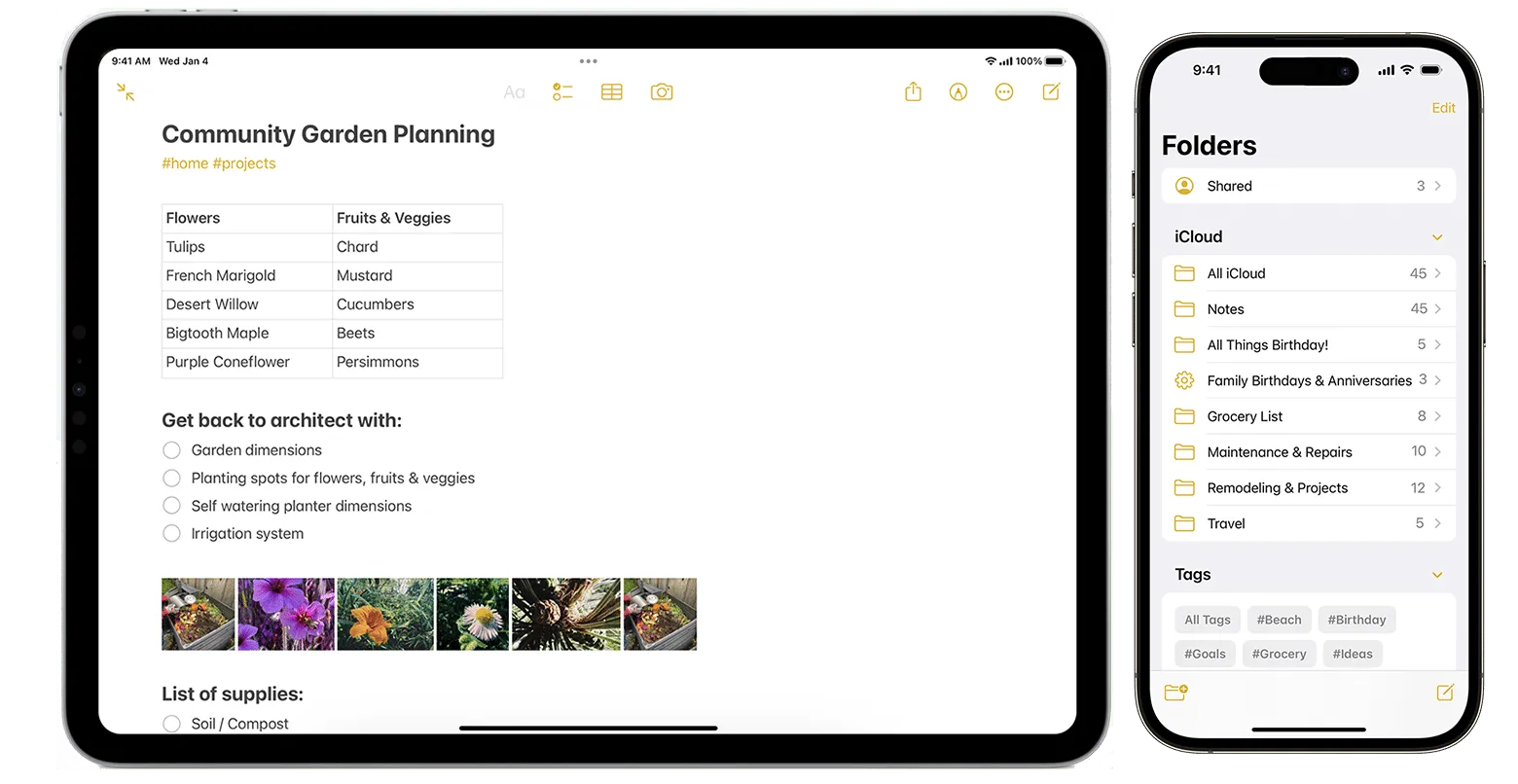
Apple Notes is free, comes pre-installed, and has improved with each iPadOS release. iPadOS 18 added Smart Script, which cleans up your handwriting into neater letterforms while keeping your personal style: useful when you write fast and want your notes to stay legible without rewriting. It also solves handwritten math equations inline. Typed and handwritten notes can coexist in the same document, and full-text search works across both.
Notes syncs instantly over iCloud across all your Apple devices and supports real-time collaboration. PDF and image attachments are supported. If you are already in the Apple ecosystem and do not need advanced PDF markup tools, Notes has become a serious option rather than a fallback.
Price: Free, included with iPad.
Goodnotes
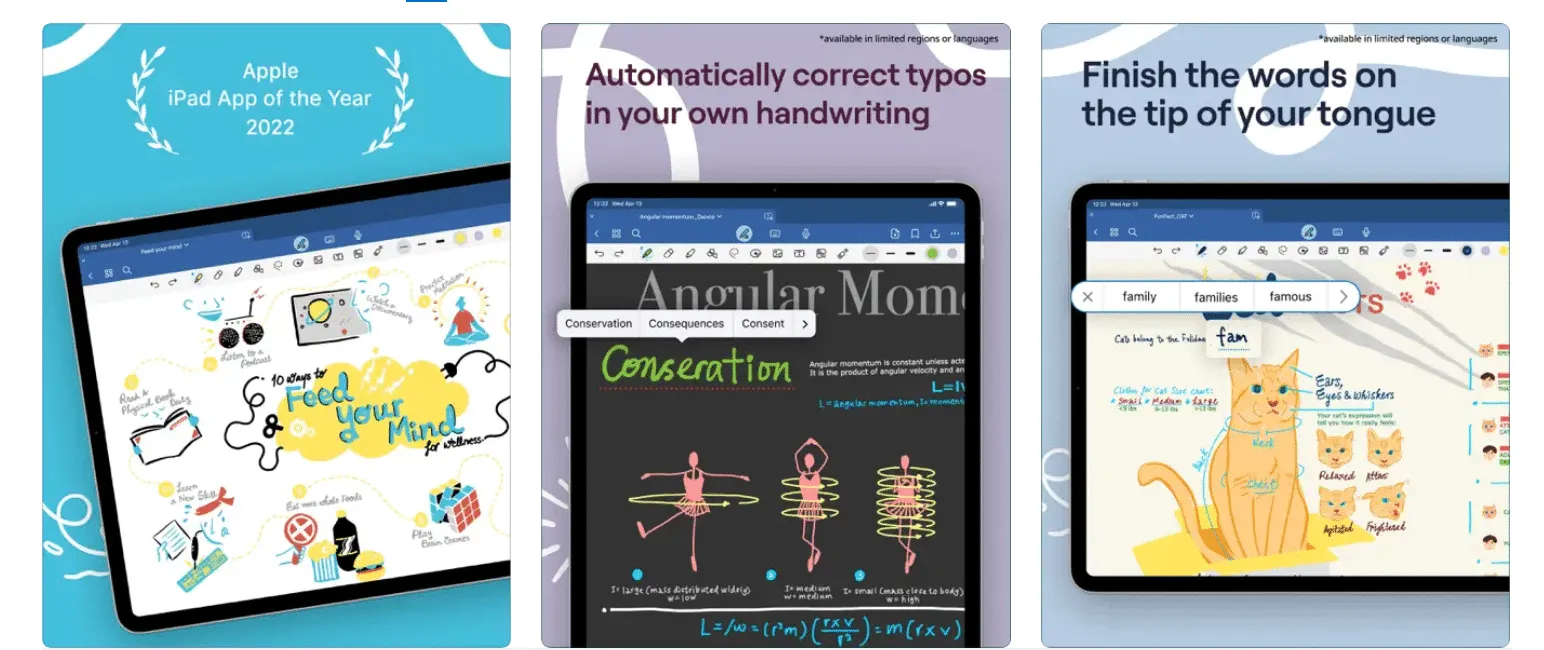
Goodnotes is built around the notebook metaphor: you create digital notebooks with custom covers, write on lined, dotted, or blank paper templates, and organize everything in folders. The Apple Pencil experience is excellent, with realistic pressure and tilt response. You can import a PDF, write directly on it, and export it with your annotations embedded.
Goodnotes is free to download and sells upgrades in the app. The App Store listing shows an Essential yearly plan ($11.99), a Pro yearly plan ($35.99), and a Goodnotes 6 one-time payment ($28.99), plus a separate AI Pass subscription. Check which plan you are on, since the app now sells several tiers.
Price: Free to download. Yearly plans from $11.99, or a one-time Goodnotes 6 payment of $28.99.
Notability
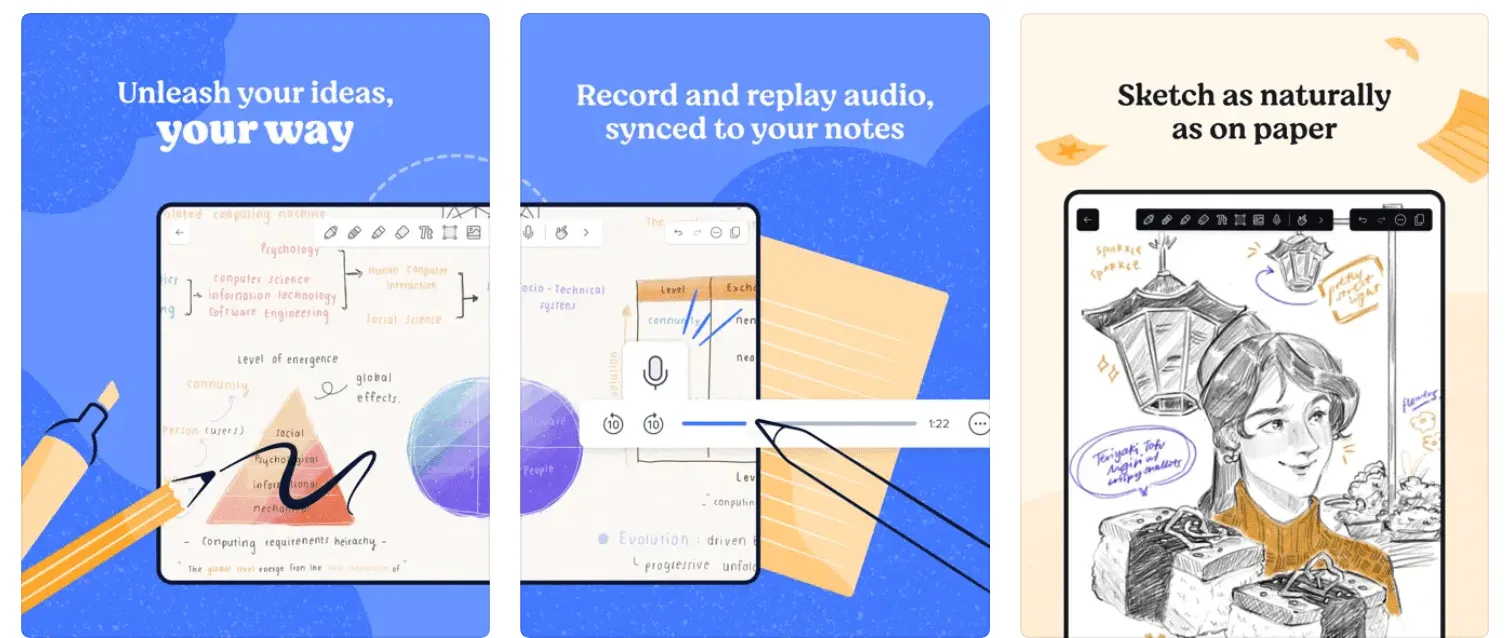
Notability is best known for audio sync: it records audio while you write and links each note to the moment it was recorded. Tap a word in your notes later and the recording jumps to when you wrote it. This is especially useful for lectures and meetings. The Apple Pencil response is smooth and the handwriting-to-text conversion is accurate.
Notability's pricing has changed over the years. It is free to download, and paid Lite, Plus and Pro subscriptions unlock unlimited notes, handwriting recognition, live audio transcripts, AI study tools and iCloud auto-backup. The App Store also lists a one-time Notability Classic purchase ($49.99). The free tier covers basic note-taking.
Price: Free to download. Plus plans listed at $7.99 and $19.99; Pro up to $99.99; Classic $49.99 one-time.
Noteshelf 3
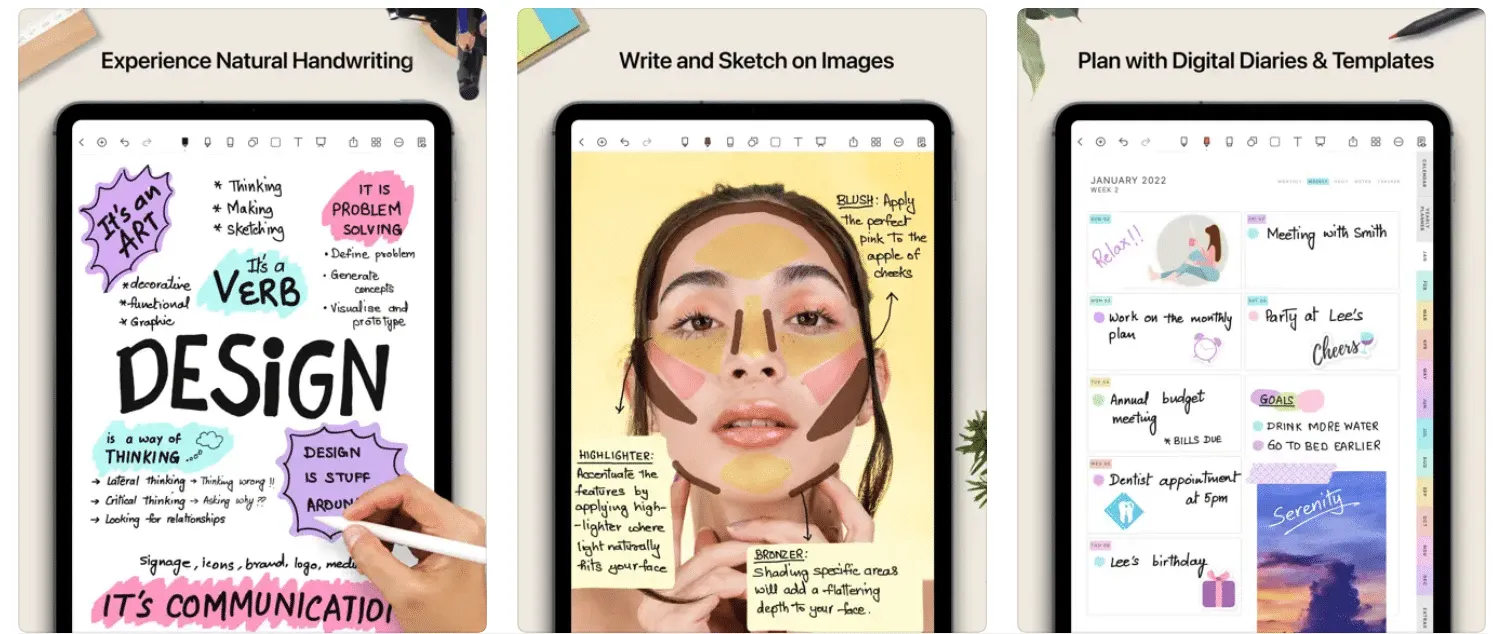
Noteshelf (the current Noteshelf 3 app) sits between GoodNotes and Notability in approach: strong notebook customization, handwriting-to-text and search in 65 languages, audio recording while you write, and solid PDF annotation. It also imports Word and PowerPoint files for markup, not just PDFs.
The free version is limited to three notebooks with core pens and paper. Premium unlocks unlimited notebooks, all templates, handwriting recognition and auto-backup, and is sold as a yearly plan (the App Store lists $19.99 to $49.99 across variants) or a $14.99 lifetime option.
Price: Free for 3 notebooks. Premium from $19.99/year or $14.99 lifetime.
Nebo (now MyScript Notes)
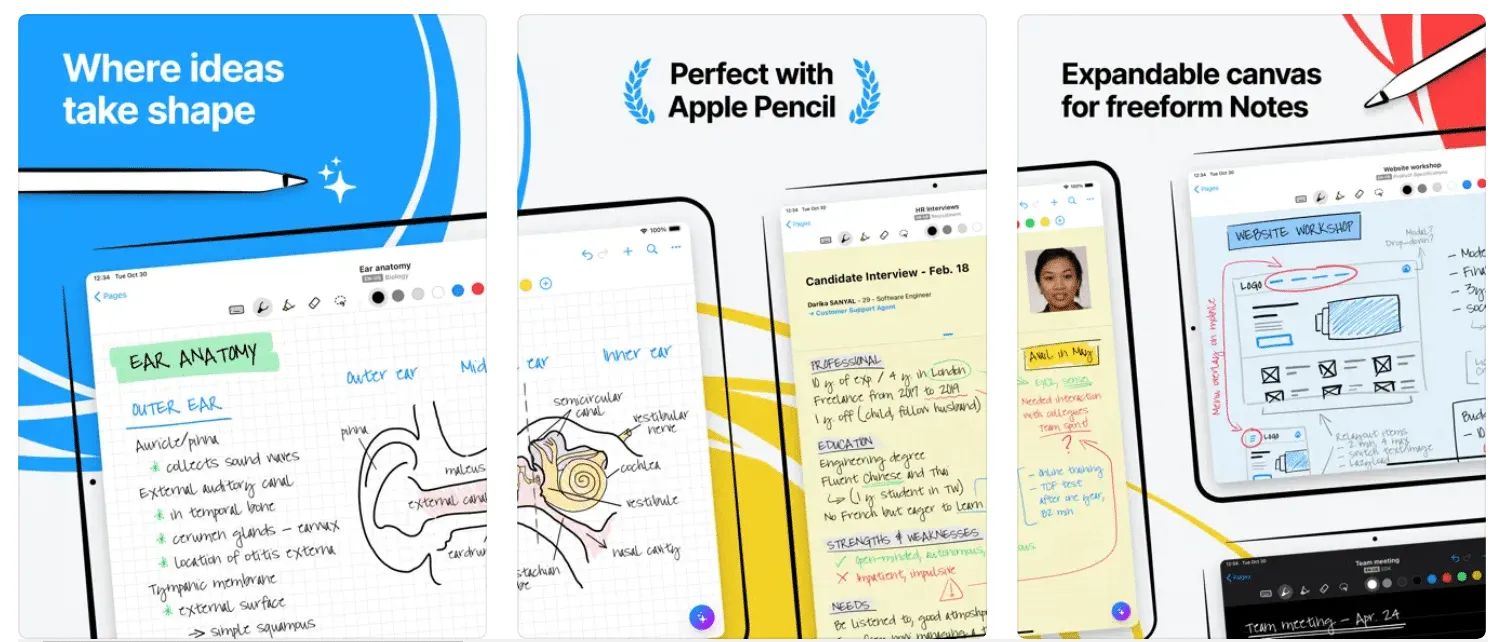
Nebo, now renamed MyScript Notes, is a strong choice if live handwriting-to-text conversion is your priority. As you write with the Apple Pencil, Nebo converts your handwriting to typed text in real time, at a level of accuracy that works in practice rather than just in demos. Strike through a word to delete it, draw a line between paragraphs to split them: the gesture system is built around how people actually correct handwritten notes.
The app is free to download with a limited free version and a 7-day trial of the full features. After that you can keep the free limited version or upgrade: the App Store lists Full version and Full Access options from $1.99 to $29.99, plus $4.99 add-on packs (Essentials, PDF, Connect).
Price: Free limited version and 7-day trial; full access listed from $1.99 to $29.99.
Craft
Craft is a structured note and document app with a polished, block-based editor. You type notes as nested blocks, add images or links inline, and organize everything in spaces. On iPad, Apple Pencil support covers image annotation; the text editor is keyboard and type-focused rather than freehand. Craft's real strength is for structured writing, meeting notes, and linked documents that you share with others.
Craft is free to use, and optional paid plans (one-month or 12-month) add more features. The App Store lists Plus at $9.99 per month or $95.99 per year, with Family and Team plans above that.
Price: Free. Plus $9.99/month or $95.99/year.
Evernote
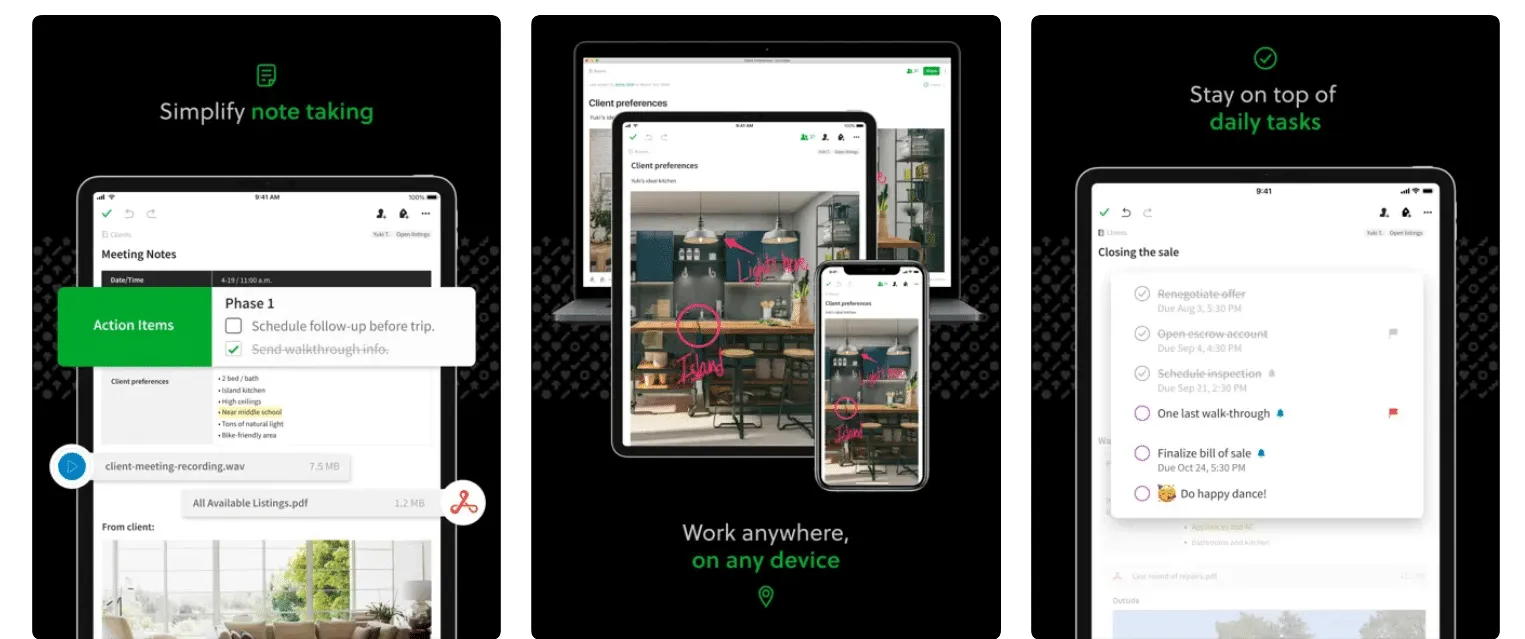
Evernote is the original cross-platform note organizer, and it remains capable for typed notes, web clipping, and task management. On iPad, Apple Pencil support lets you sketch or annotate inside notes. The web clipper and notebook structure make it useful as a research archive.
The main concern with Evernote in 2026 is pricing: the free plan is tightly limited, and the App Store lists Evernote Plus, Personal and Premium plans from $13.95 up to $169 depending on tier and billing period, which is high compared to newer alternatives. If you are already in the Evernote ecosystem it still works well; for new users, the alternatives above offer more for less.
Price: Free plan (limited). Paid plans listed from $13.95.
LiquidText
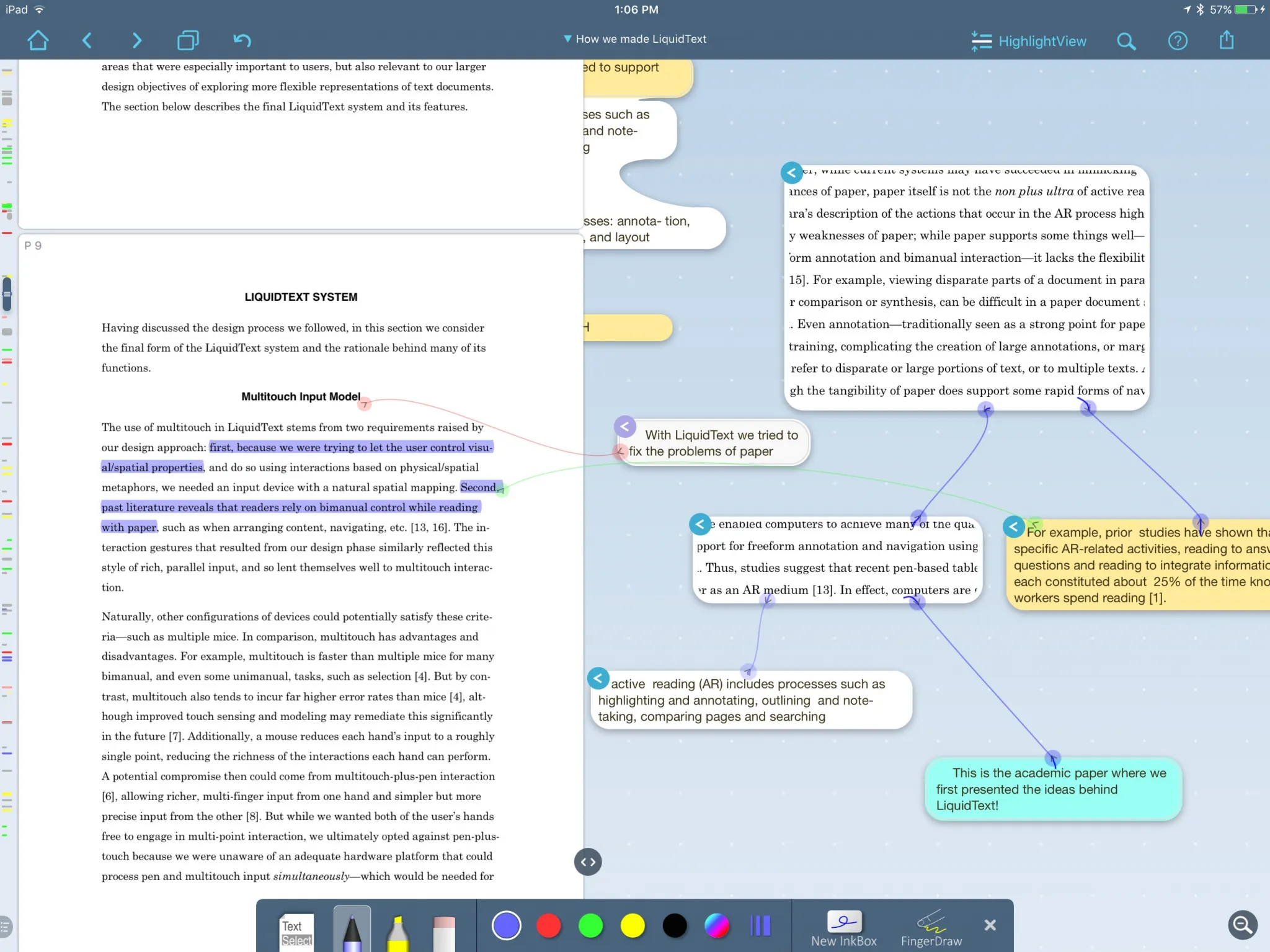
LiquidText is for research-heavy work with PDFs. You open one or more documents, select excerpts, and pull them into a workspace where you connect them with lines and annotations. It is not a general note-taking app but the best tool available for reading and cross-referencing long documents, academic papers, or contracts on iPad.
The app is free to download with a free tier. Multi-document workspaces (up to three documents in view), full-document OCR search, ink links and sharing controls need a paid upgrade: a Live subscription ($10.90/month or $99.99/year) or the one-time Pro II purchase ($89.99 on the App Store).
Price: Free tier. Pro II $89.99 one-time, or Live from $10.90/month.
FAQs
What is the best free note-taking app for iPad?
GoodNotes vs Notability: which is better for iPad?
Does the Apple Pencil work with all iPad note-taking apps?
Which iPad note-taking apps offer a one-time purchase instead of a subscription?

I write as a writer, as someone very familiar with the Internet, as someone who is completely at ease with current technology and the way it is transforming the social fabric of the globe, the business world in particular.