Your iPhone measures walking distance automatically, without any extra app or Apple Watch. The built-in Health app records your steps and distance all day using the accelerometer in your iPhone. This guide shows how to measure walking distance on iPhone two ways: see what you have already walked in the Health app, or check the distance of a route in Maps before you set off. Below that are the best dedicated walking apps if you want GPS route tracking, goal-setting, or coaching.
How to measure walking distance on iPhone with the Health app
The Health app tracks Walking + Running Distance continuously in the background as long as your iPhone is in your pocket or in your hand. You do not need to start anything.
To see your data:
- Open the Health app (the pink icon with a white heart).
- Tap the Browse tab at the bottom (on iPad, open the sidebar instead), then tap Activity, as described on Apple Support.
- Tap Walking + Running Distance.
- You will see a bar chart for the day, week, month and year. Tap any bar to see the number for that period.
- Optional: turn on Add to Favorites on that screen so Walking + Running Distance shows on your Summary tab.
The same screen shows your step count if you scroll up and tap Steps. Both metrics are captured automatically with no setup required.
How to measure a walking route in Maps before you walk it
If you want to know the distance of a specific route before you start:
- Open Maps.
- Search for your destination.
- Tap Directions, then choose the walking icon (the person figure) as your travel mode.
- Maps shows the distance and estimated walking time for that route.
This works for any address, landmark, or point of interest. It does not track you as you walk, but it answers "how far is it to walk there" instantly.
Best walking apps for iPhone
The apps below go further than the built-in Health data: GPS route recording, pace and elevation tracking, structured workout plans, and goal challenges.
ActivityTracker
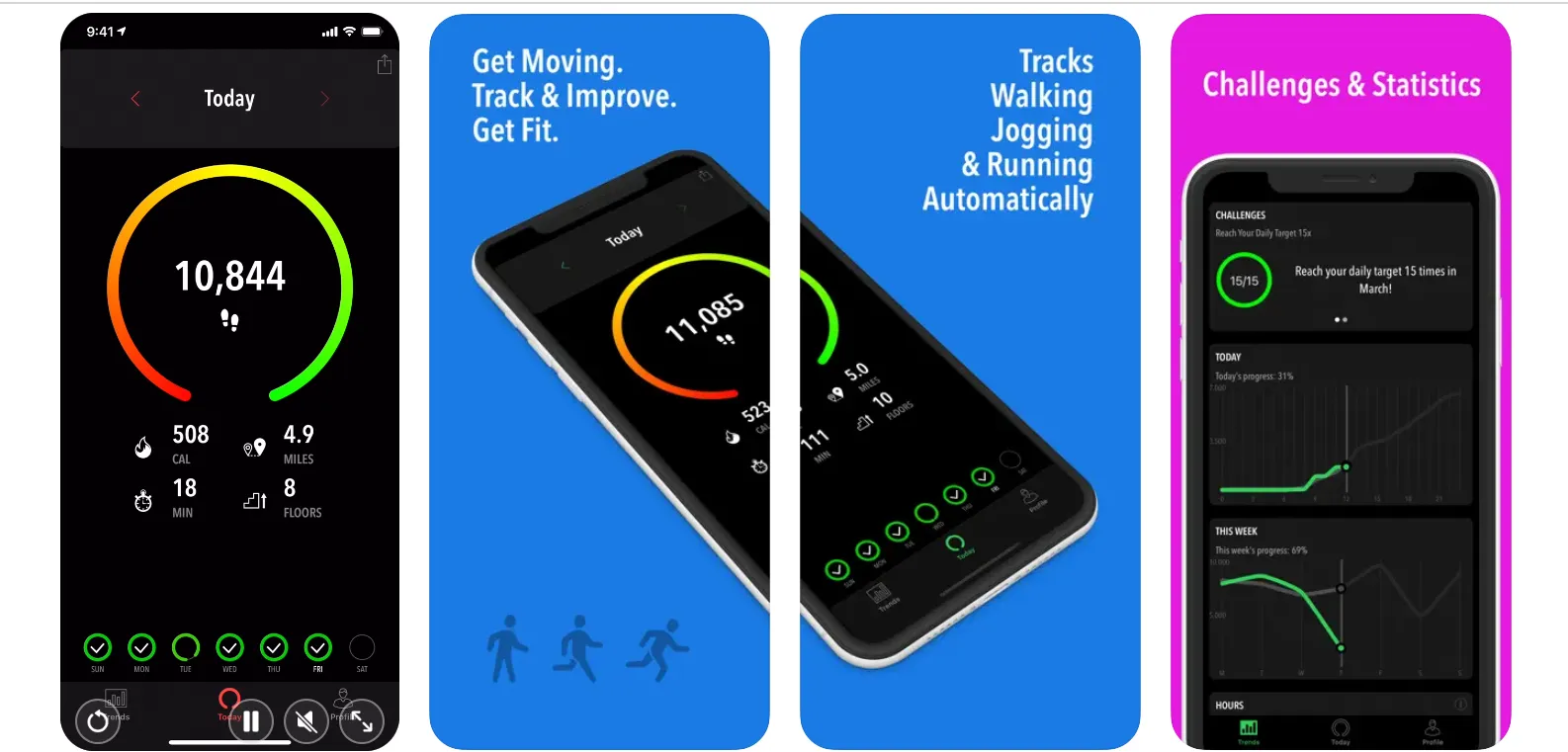
ActivityTracker counts steps using the phone's motion sensor with no GPS drain, making it lighter on battery than route-tracking apps. It tracks steps, distance, floors climbed, and calories burned, and lets you set daily and weekly goals with a progress visualization. Useful if you want more detail than the Health app shows without the GPS overhead.

Map My Walk
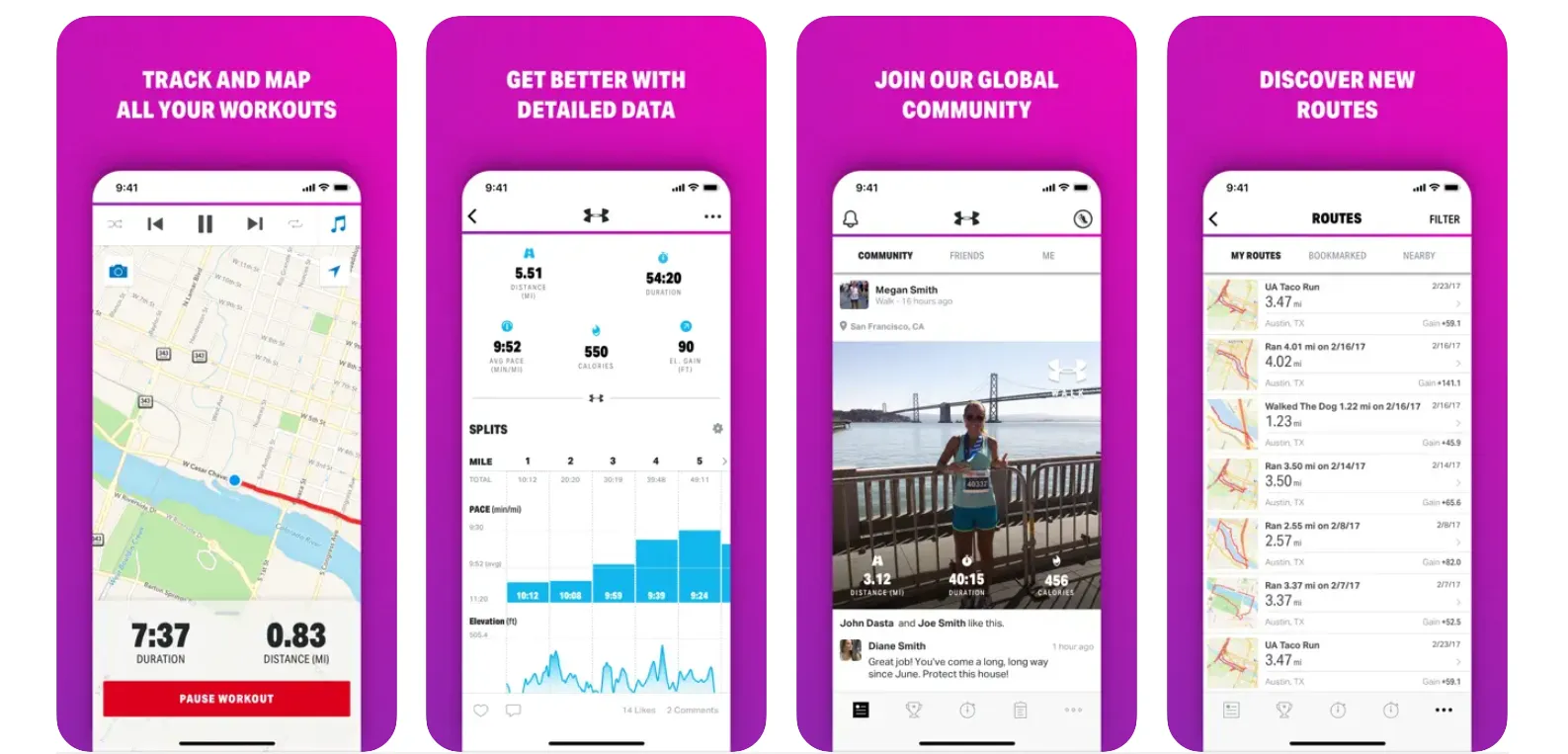
Map My Walk uses GPS to record your route on a map and logs distance, time, elevation, pace, and calories. You can plan routes in advance, save favourite walks, and set audio cues to announce your pace at set intervals. More than 600 activity types are supported. Map My Walk is free; the MVP subscription adds heart rate analysis and training plans.

Walkmeter
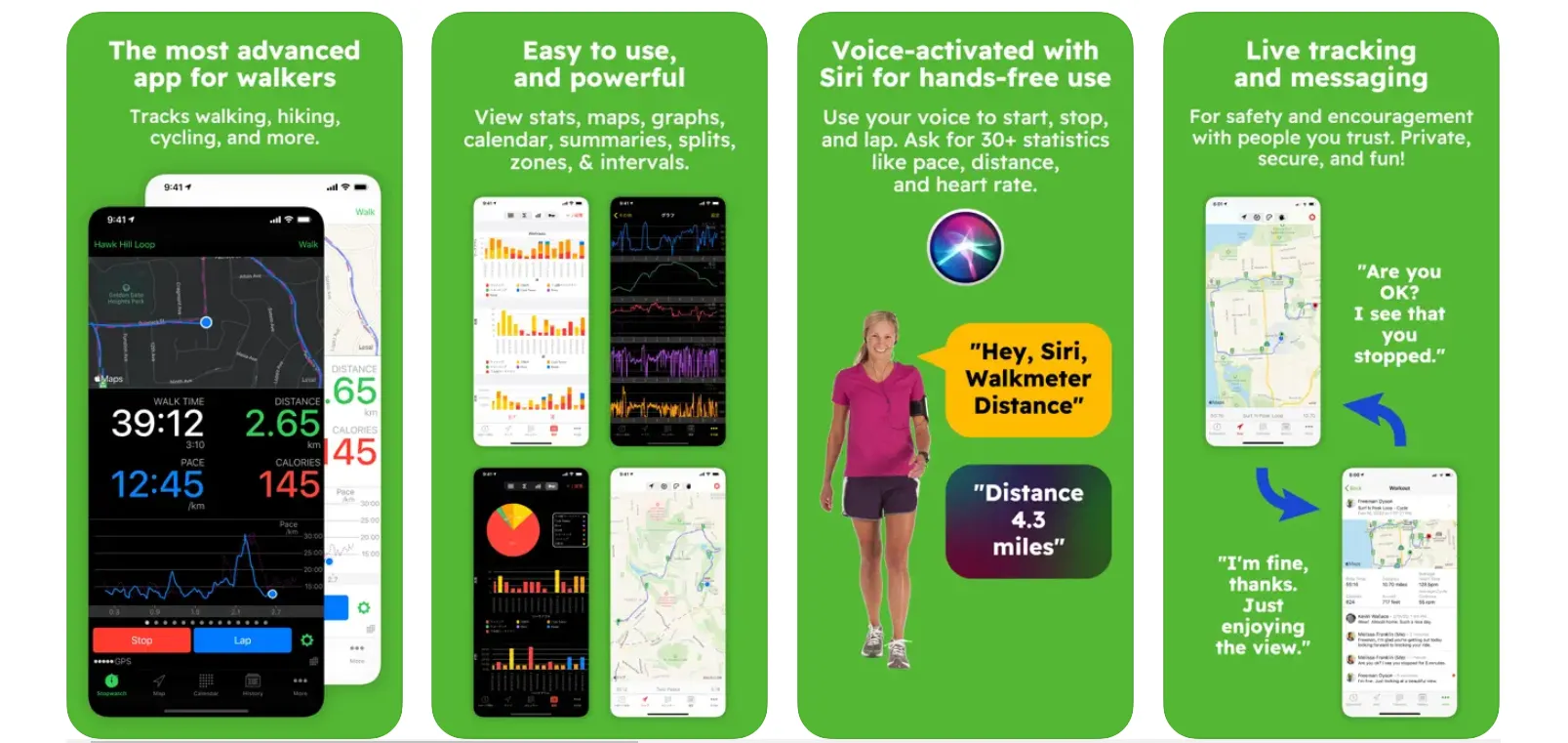
Walkmeter is a detailed GPS tracker for walking and hiking with audio announcements of distance, pace, heart rate, and speed at configurable intervals. It includes lap and interval tracking, maps, and deep iCloud sync so you can analyze data on iPad. Good for serious walkers who want granular workout data.

Walkster
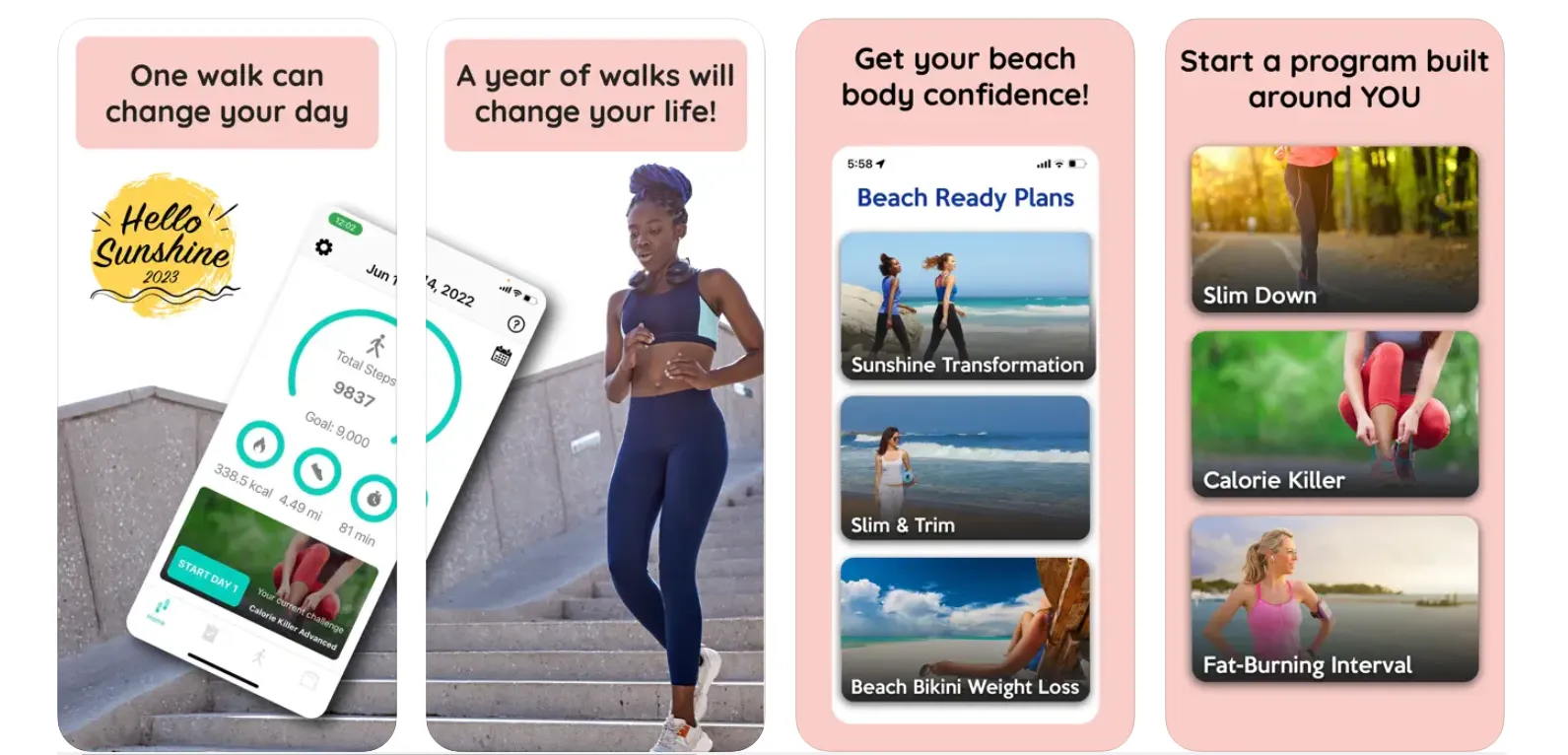
Walkster provides structured walking workout plans for different goals: weight loss, fitness, energy, and stress relief. Plans are available at beginner, intermediate, and advanced levels for both interval and steady-pace training. It tracks steps, distance, calories, and speed, and includes a weight journal for tracking progress over time.

Fitbit (Google Health)
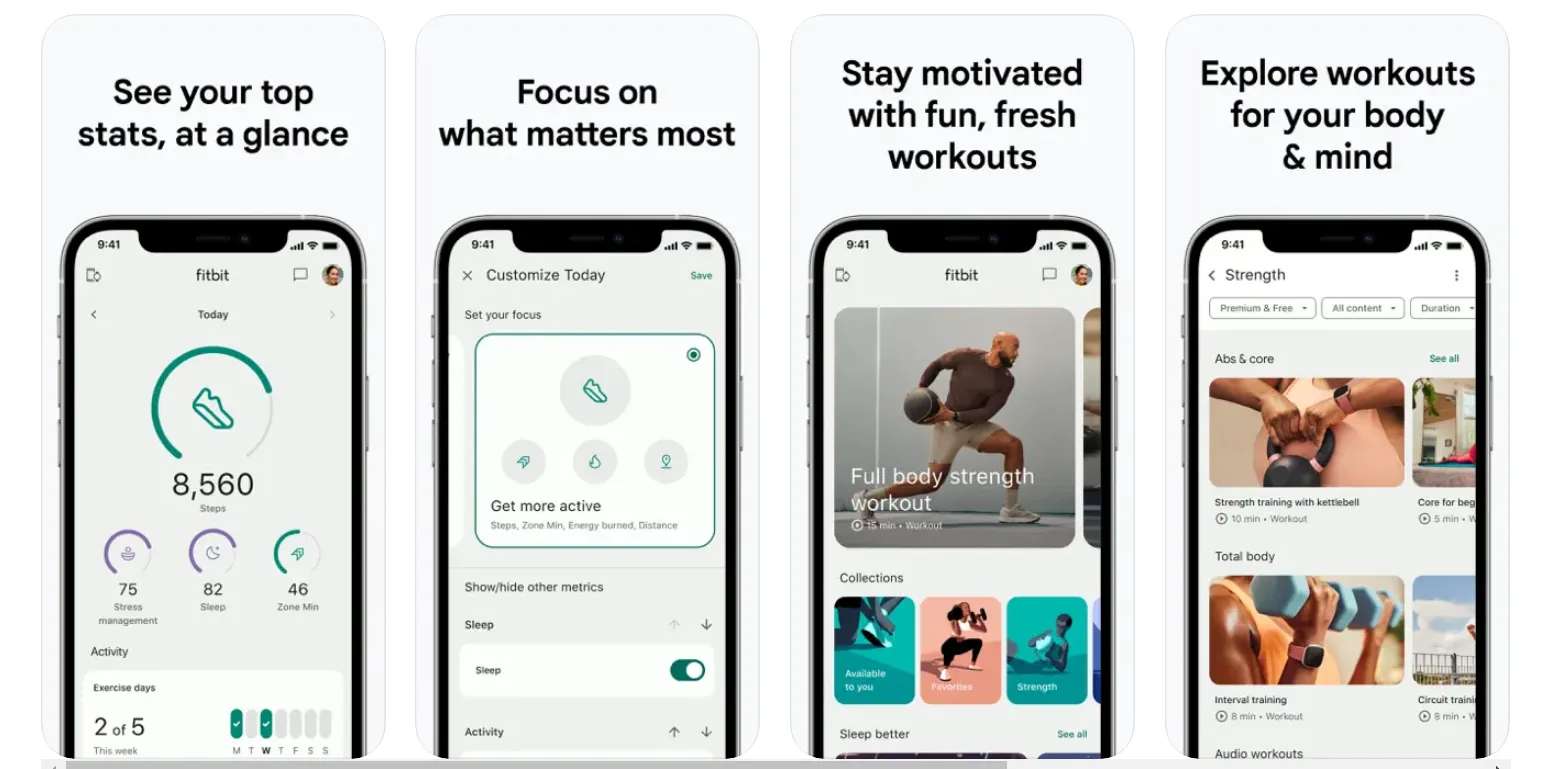
The Fitbit app (now rebranded as Google Health) works without a Fitbit tracker. On iPhone alone it tracks steps, distance, and floors. With a Fitbit or Pixel Watch paired, it adds heart rate and GPS. The app also includes guided workouts, sleep tracking, and challenges to compete with friends. The app is free; Fitbit Premium adds advanced analytics and workout coaching.

Footsteps
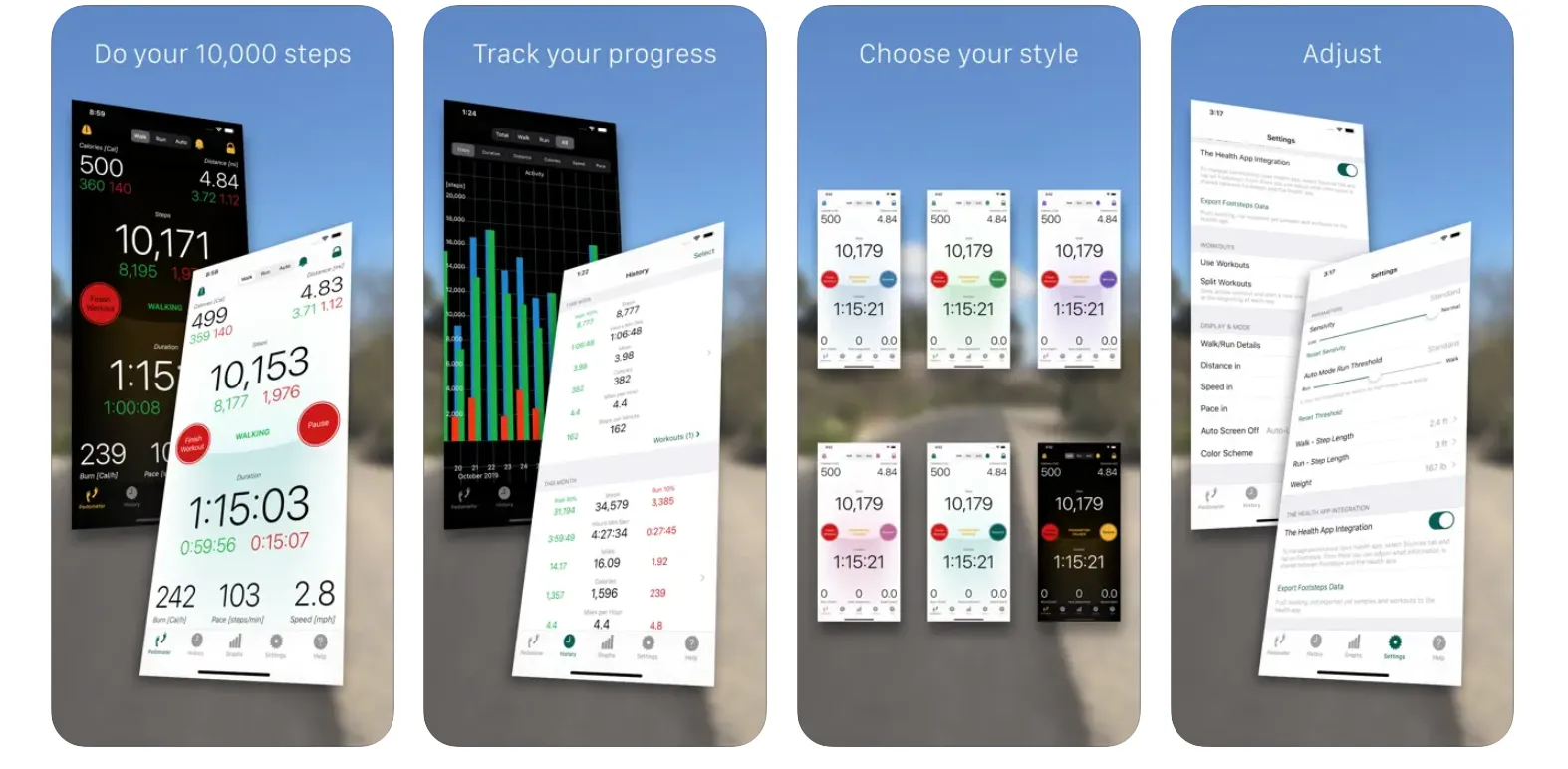
Footsteps lets you track walks manually (start, stop, save) or record passively in the background. It supports separate step lengths for walking and running and shows steps, distance, pace, and calories per session as well as totals over time. The history view covers daily, weekly, monthly, and per-workout periods.

FAQs
How do I measure walking distance on iPhone?
Does iPhone track walking distance without an Apple Watch?
How accurate is iPhone walking distance tracking?
What is the best free walking app for iPhone?

I write as a writer, as someone very familiar with the Internet, as someone who is completely at ease with current technology and the way it is transforming the social fabric of the globe, the business world in particular.