Google Clock app now supports Spotify. Now you can set Spotify soundtrack and playlist as your alarm tone.
To get started with musical alarms, make sure the latest versions of your Spotify and Clock apps are installed and connected on your device. This works for both Free and Premium Spotify users.
After that you can browse recently played music, choose from Spotify’s curated morning playlists, or search for a specific music.
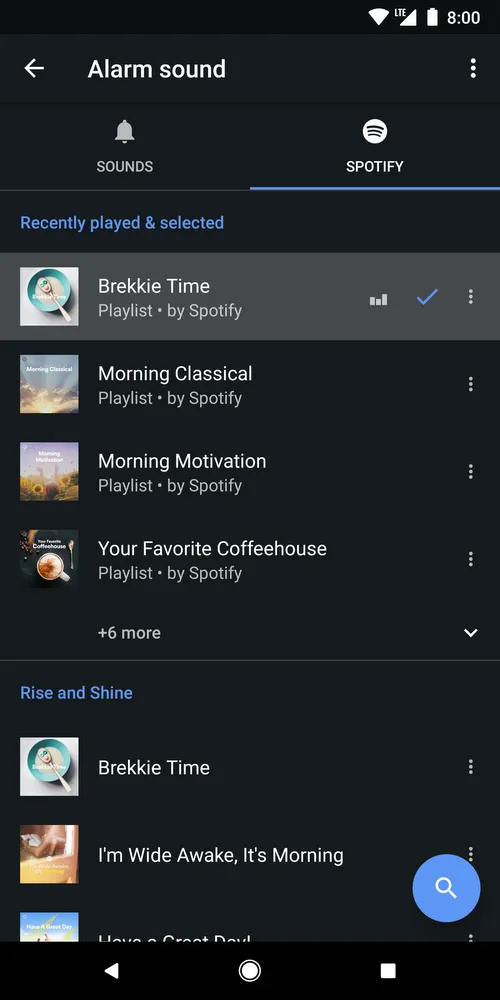
Now your musical alarm is set, it will be a whole lot easier to get moving when your day starts with melody.
You can listen to spotify all day after turning off your alarm.
Google started sending updates to users in play store and this feature is available on all devices running Android 5.0 (Lollipop) and above.
Source – Google Blog Post



Amit loves new tech and apps that make life easier, he writes about apps, games and useful websites on TheTechBasket.